Load /Save Family Dialog
Updated
05/01/14
|
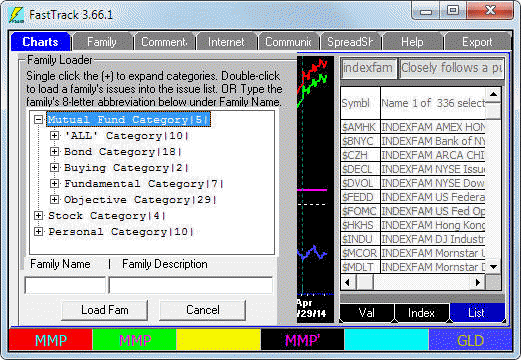 Four Easy Ways to Load a Family Four Easy Ways to Load a Family
- Use the Family Tree on the Family Tab.
- Right-click on the Issue List and select "Load Family". When the
Family Loader appears, use the Family Tree.
- (no illustration) Load a family using the hotkey "M".Put your mouse cursor
in the chart and press M on your keyboard. Type in the family name like
FIDELITY, then hit the <enter> key.
- On the Spreadsheet Tab, hold down the <ctrl> key and press M
on your keyboard. Type in the family name like
FIDELITY, then hit the <enter> key.
|
| |
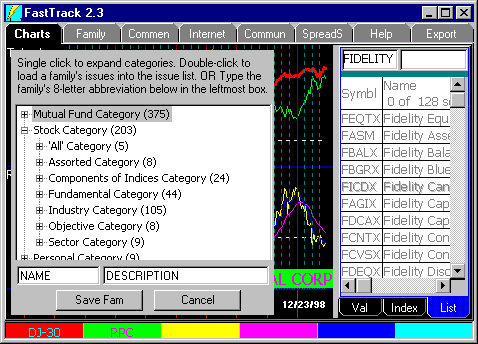 Saving Families Saving Families
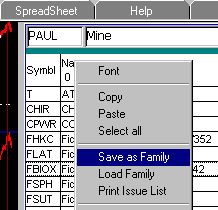
- Right-Click the issue list (or spreadsheet) and Save Family. This will save the
family under the name at the top of the Issue List. As illustrated below
the family will be named PAUL.
- Right-Click the Issue List and "Save as Family". This will open the Family Tree.
Make up a NAME and DESCRIPTION, then click Save Fam. OR Expand the
Family Tree and click the name of an existing personal family to
overwrite it.
|